Construction details PNG cutouts
These construction details also download as high-resolution PNG files with a transparent background, ready to drop on a board, a render or a slide.
10blocks in PNG
Freeno sign-up
Construction details PNG cutouts
10 blocks
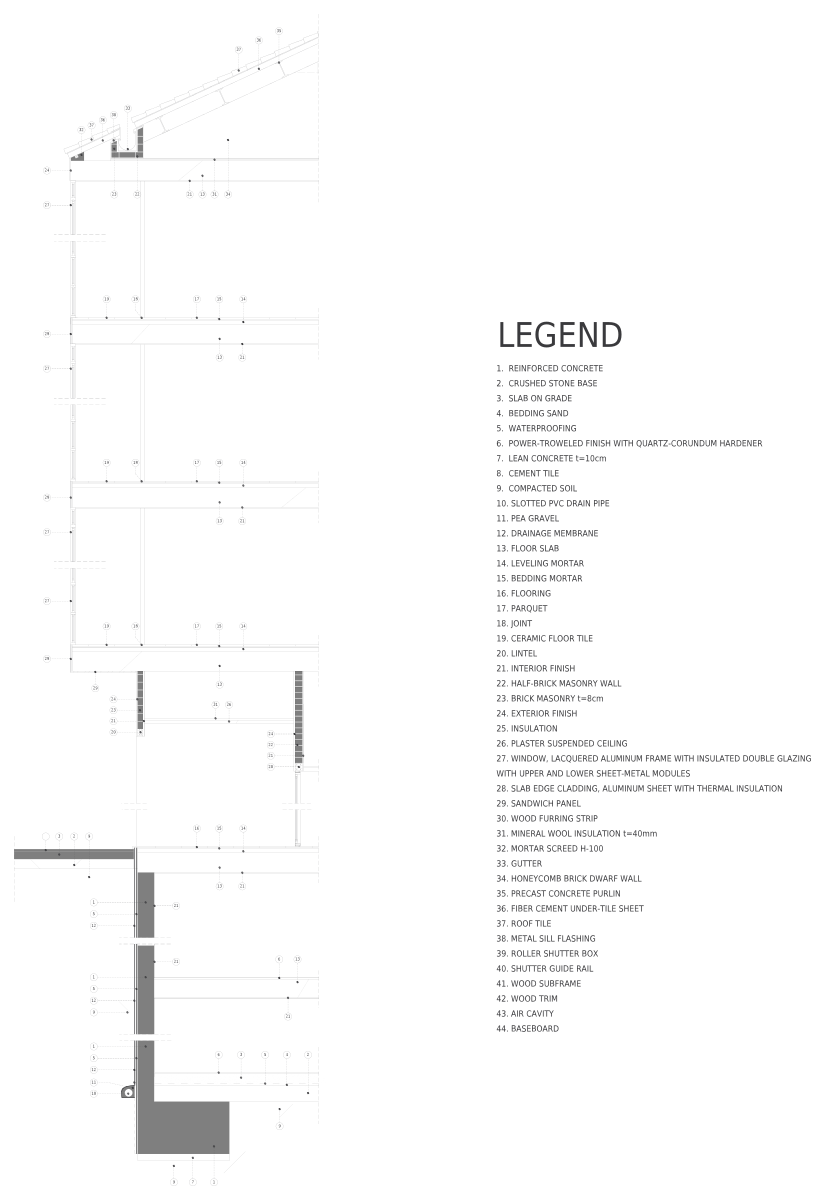 Facade Section with Legend
Section · 15′-3⅜″ × 58′-9⅜″4659 × 17,915 mm
DWGDXFPDFPNGSVG
Facade Section with Legend
Section · 15′-3⅜″ × 58′-9⅜″4659 × 17,915 mm
DWGDXFPDFPNGSVG
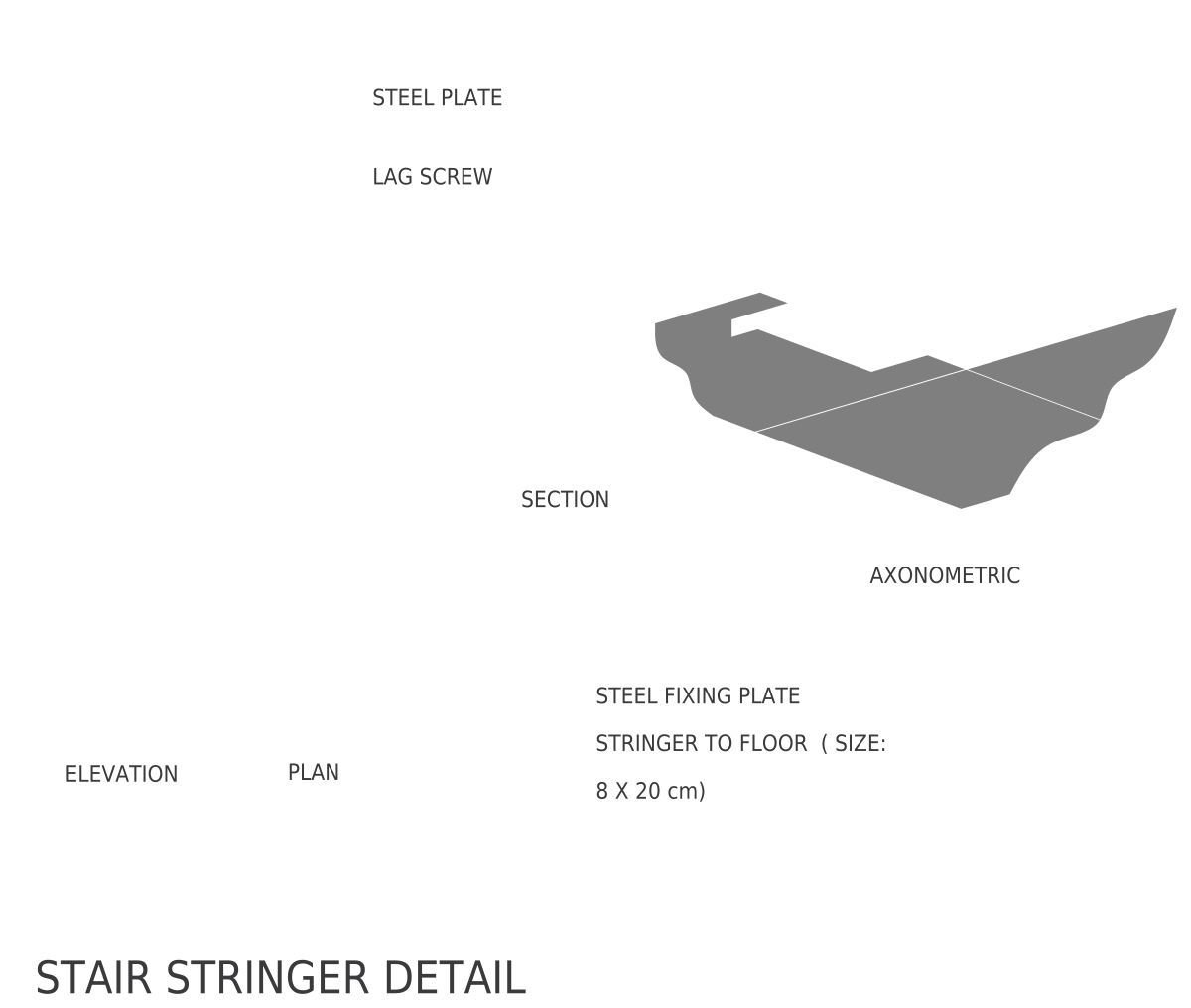 Stair Stringer Anchor
Detail · 104¾″ × 65¼″2660 × 1657 mm
DWGDXFPDFPNGSVG
Stair Stringer Anchor
Detail · 104¾″ × 65¼″2660 × 1657 mm
DWGDXFPDFPNGSVG
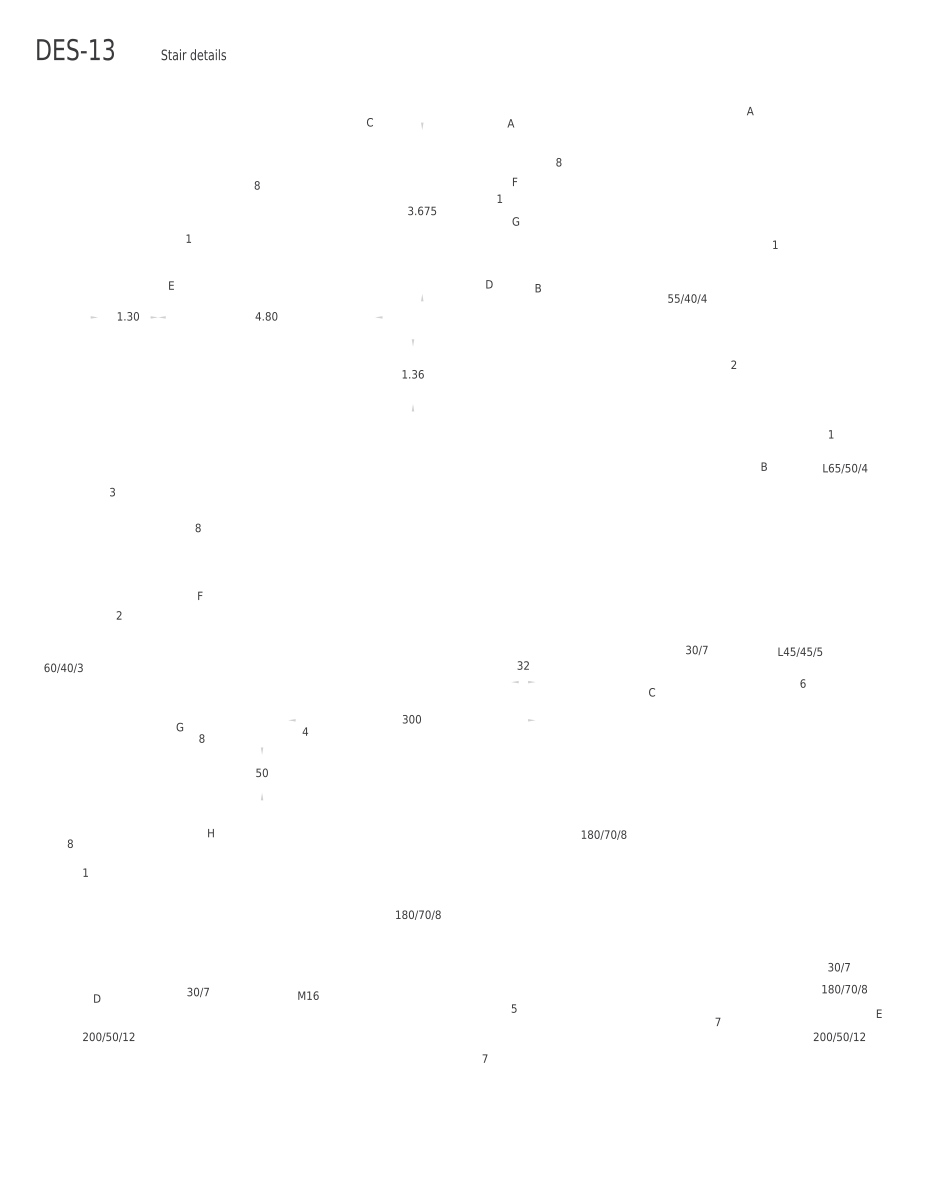 Steel Stair Construction
Detail · 70′-6½″ × 91′-7¼″21,500 × 27,921 mm
DWGDXFPDFPNGSVG
Steel Stair Construction
Detail · 70′-6½″ × 91′-7¼″21,500 × 27,921 mm
DWGDXFPDFPNGSVG
 Balcony Door
Section · 69⅝″ × 13′-7¼″1767 × 4147 mm
DWGDXFPDFPNGSVG
Balcony Door
Section · 69⅝″ × 13′-7¼″1767 × 4147 mm
DWGDXFPDFPNGSVG
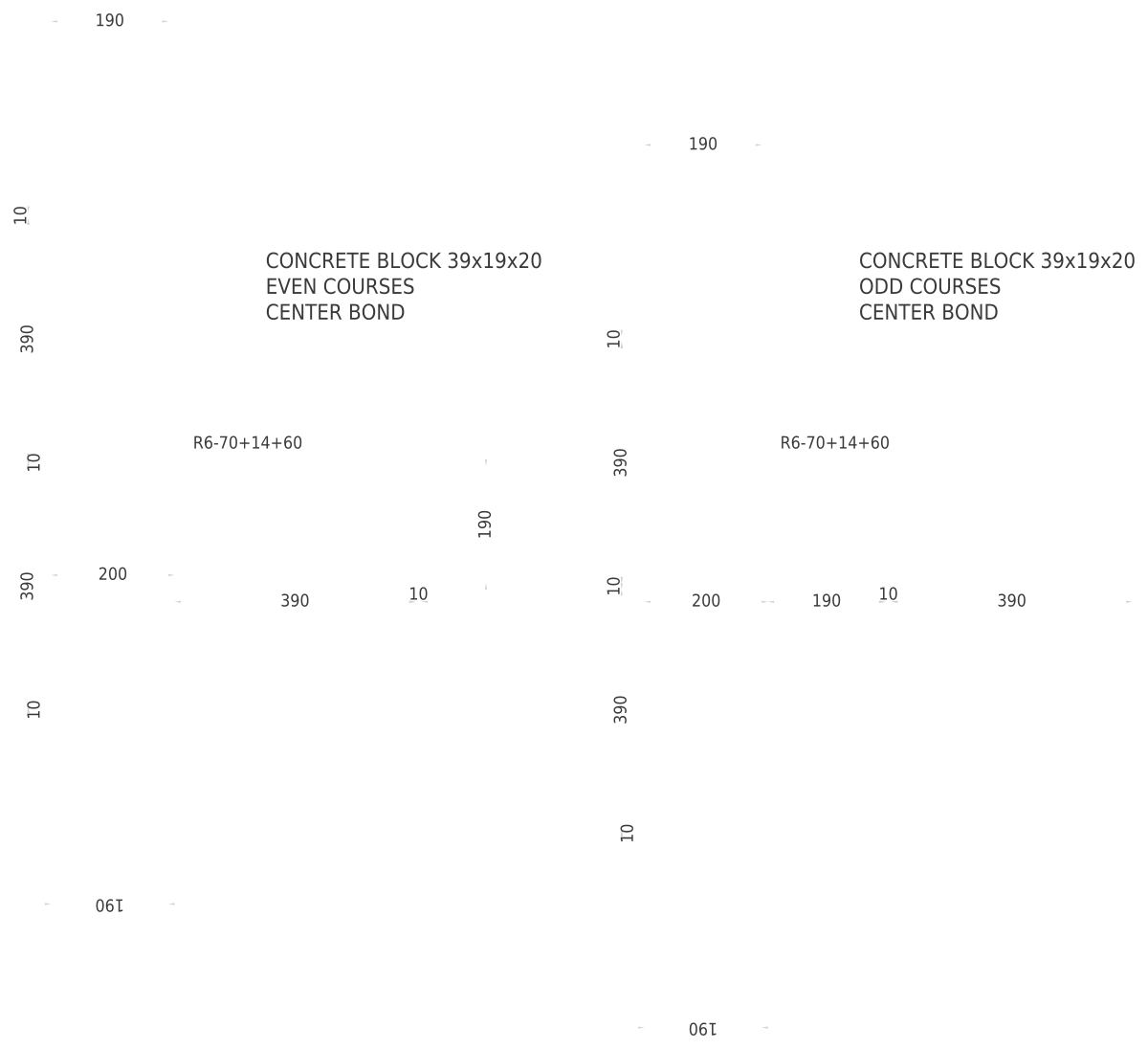 Concrete Block Wall Bonding
Detail · 68⅞″ × 62″1751 × 1575 mm
DWGDXFPDFPNGSVG
Concrete Block Wall Bonding
Detail · 68⅞″ × 62″1751 × 1575 mm
DWGDXFPDFPNGSVG
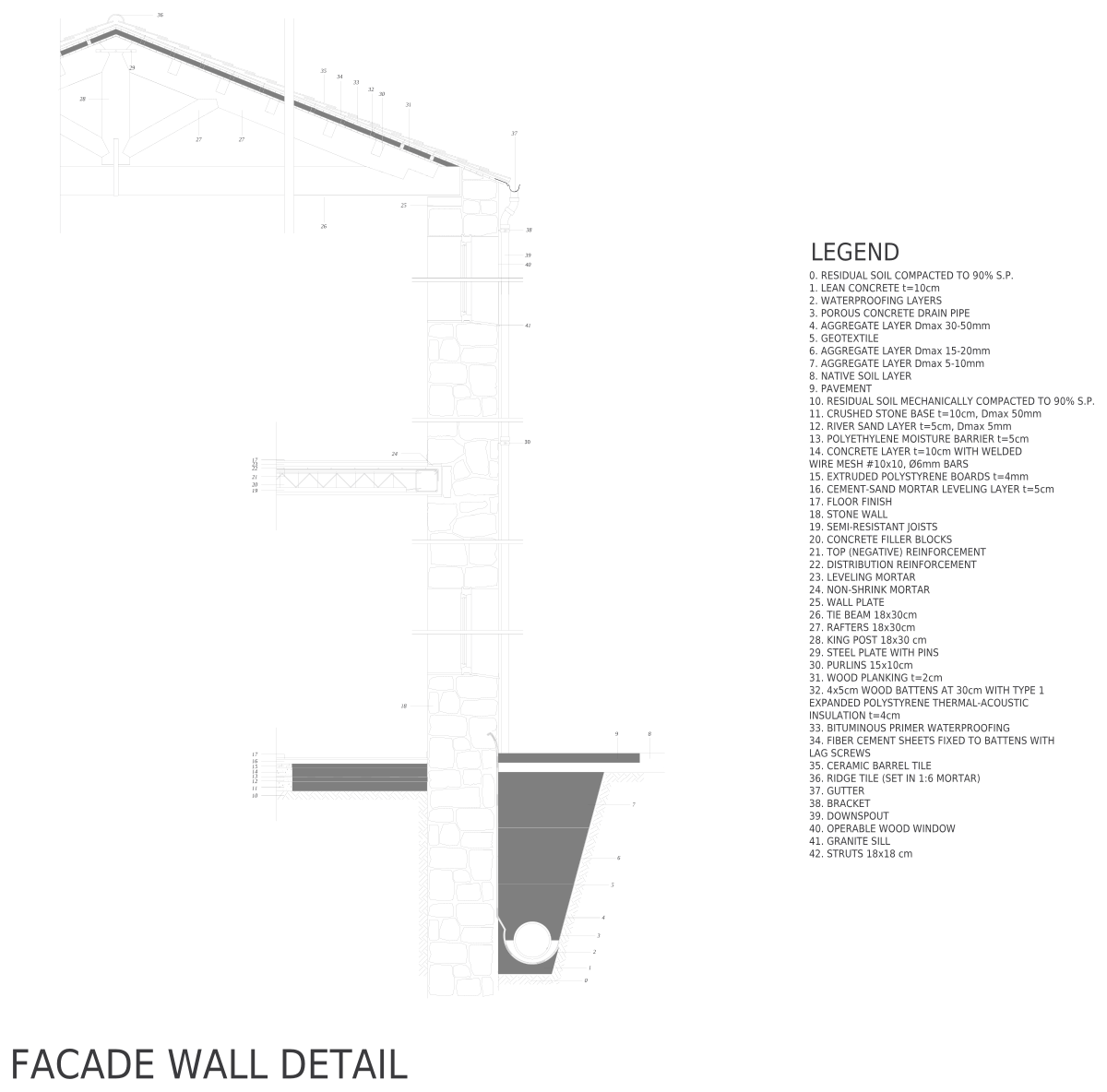 Masonry Facade Wall
Section · 21′-1¼″ × 34′-3″6432 × 10,440 mm
DWGDXFPDFPNGSVG
Masonry Facade Wall
Section · 21′-1¼″ × 34′-3″6432 × 10,440 mm
DWGDXFPDFPNGSVG
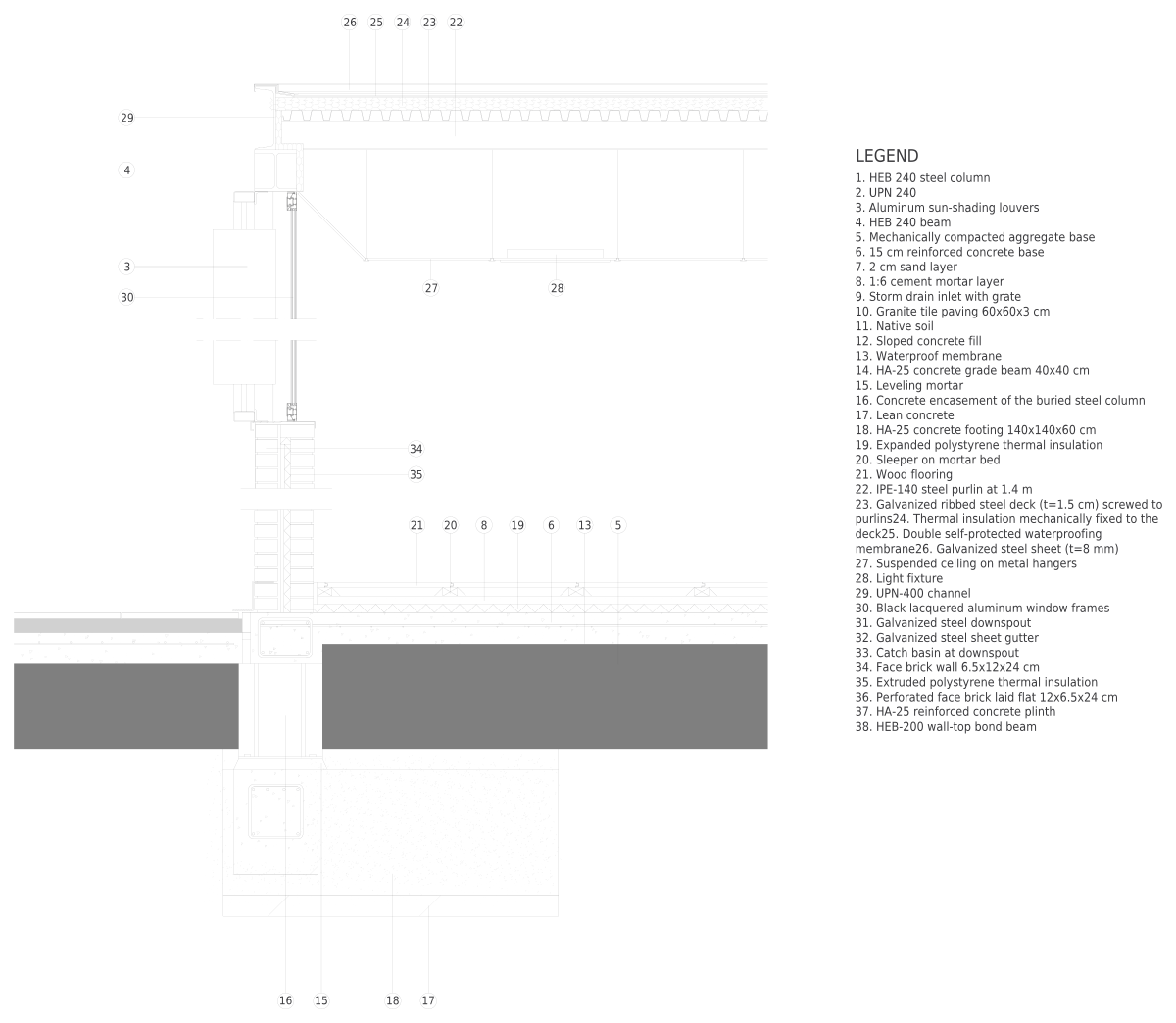 Steel Structure Facade
Section · 11′-9¾″ × 15′-7⅛″3600 × 4753 mm
DWGDXFPDFPNGSVG
Steel Structure Facade
Section · 11′-9¾″ × 15′-7⅛″3600 × 4753 mm
DWGDXFPDFPNGSVG
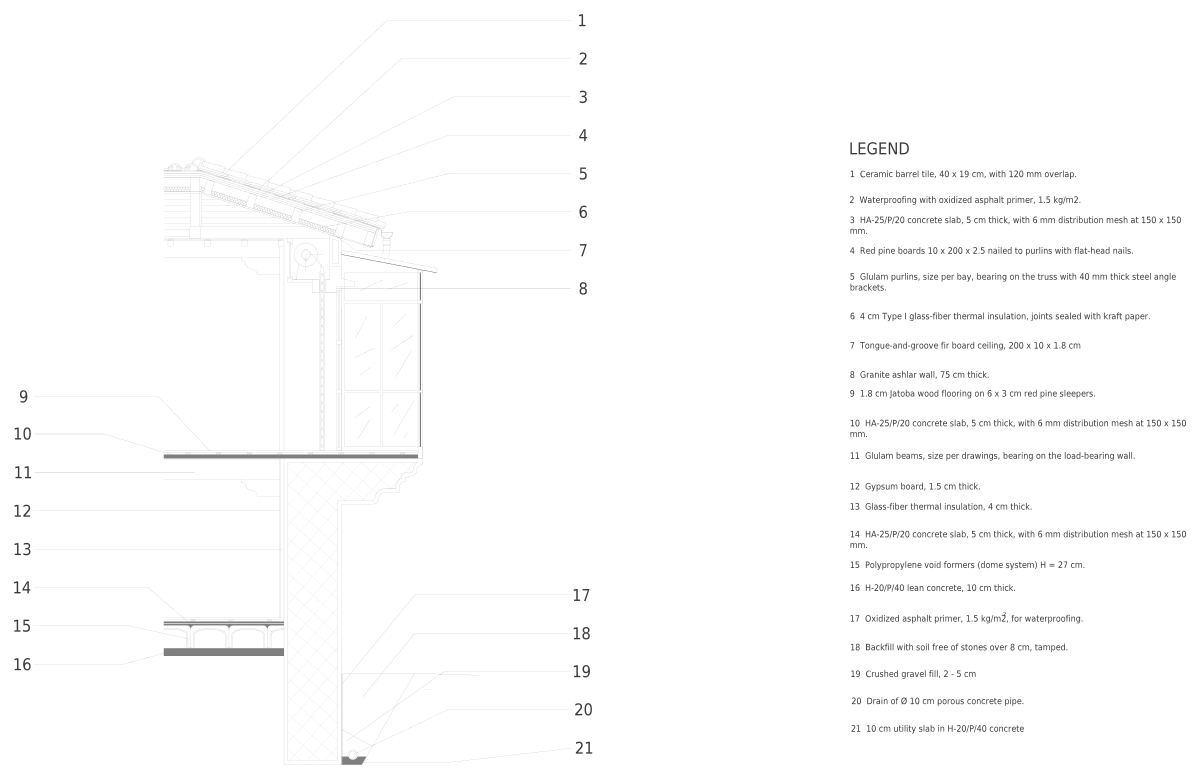 Stone Wall Facade
Section · 22′-11⅝″ × 32′-6⅜″7002 × 9916 mm
DWGDXFPDFPNGSVG
Stone Wall Facade
Section · 22′-11⅝″ × 32′-6⅜″7002 × 9916 mm
DWGDXFPDFPNGSVG
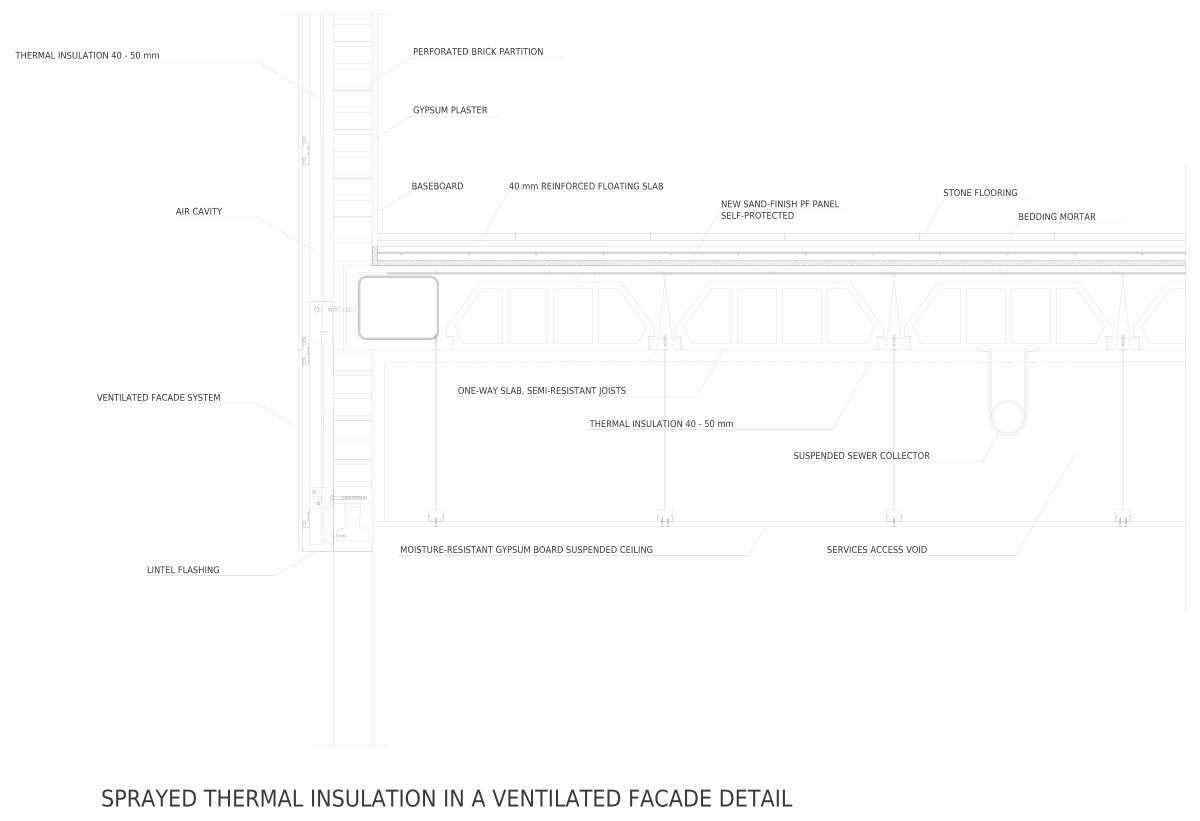 Ventilated Facade with Spray Insulation
Section · 11′-5″ × 85½″3480 × 2171 mm
DWGDXFPDFPNGSVG
Ventilated Facade with Spray Insulation
Section · 11′-5″ × 85½″3480 × 2171 mm
DWGDXFPDFPNGSVG
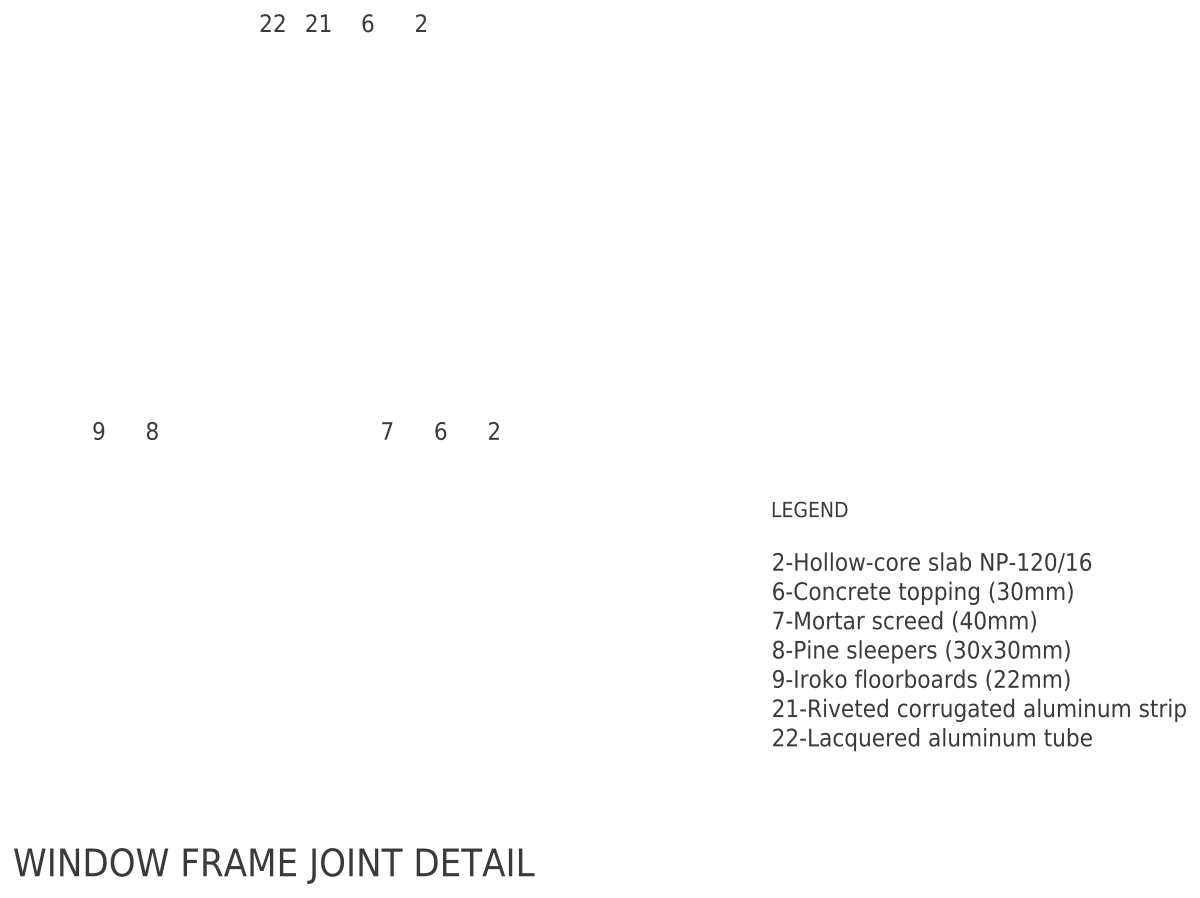 Window Joint at Hollow-Core Slab
Section · 26½″ × 37⅞″672 × 963 mm
DWGDXFPDFPNGSVG
Window Joint at Hollow-Core Slab
Section · 26½″ × 37⅞″672 × 963 mm
DWGDXFPDFPNGSVG
How to use the PNG files
- Open the block. Pick a block below and download the PNG from its page, next to the DWG.
- Drop it in. Place it in Photoshop, PowerPoint, Keynote, Canva or Word. The background is transparent, so it sits on any image.
- Need exact sizes?. The PNG is for presentation. For drawings at real size, insert the DWG or DXF of the same block, drawn 1:1 in inches or millimeters.
Drawing in CAD? Every block also comes as a DWG and a DXF at real size, in inches and millimeters. Which format do I need?
Common questions
Do the PNG files have a transparent background?
Yes. Only the line work and fills are drawn; everything else is transparent, so the block sits on top of a photo, a render or a coloured slide.
How large are the PNG files?
They are 1600 pixels wide, enough for a full slide or an A3 presentation board.
Can I use the PNG files in commercial work?
Yes. They are free for personal and commercial projects, with no sign-up.